Connect Dostup.io on iPhone and iPad
Create a VPN connection in your iPhone or iPad settings and enter the details from your Dostup.io dashboard.
What you need
Open Connection settings in your Dostup.io dashboard. This section contains your server address, login and VPN password. You will need them in step 2.
The icon beside each value copies it. The eye icon beside the password reveals it. Use these buttons to avoid typing the details by hand.
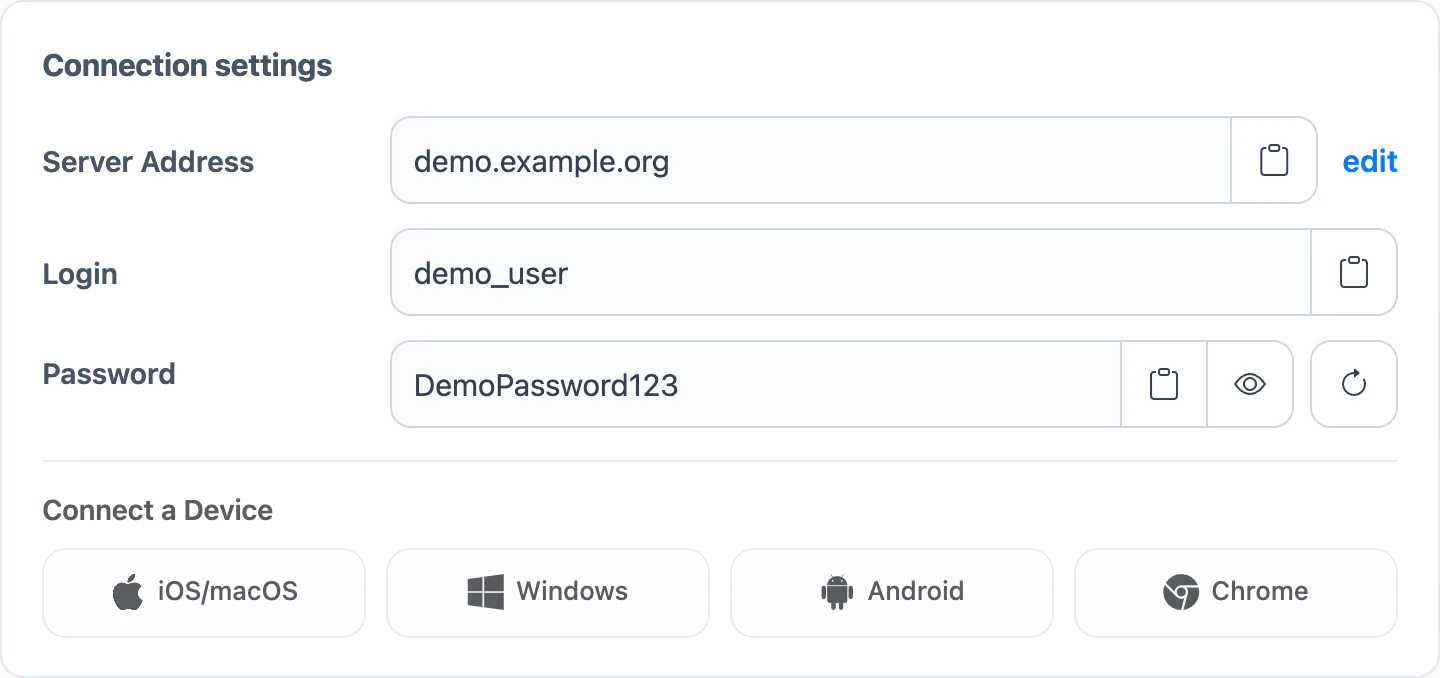
For a quick setup guide in your dashboard, choose your platform under Connect a Device.
Step 1. Add a VPN connection
- On your iPhone or iPad, open the Settings app.
- Go to General → VPN & Device Management → VPN.
- Tap Add VPN Configuration….
- Select IKEv2 at the top of the screen.
Step 2. Enter connection details
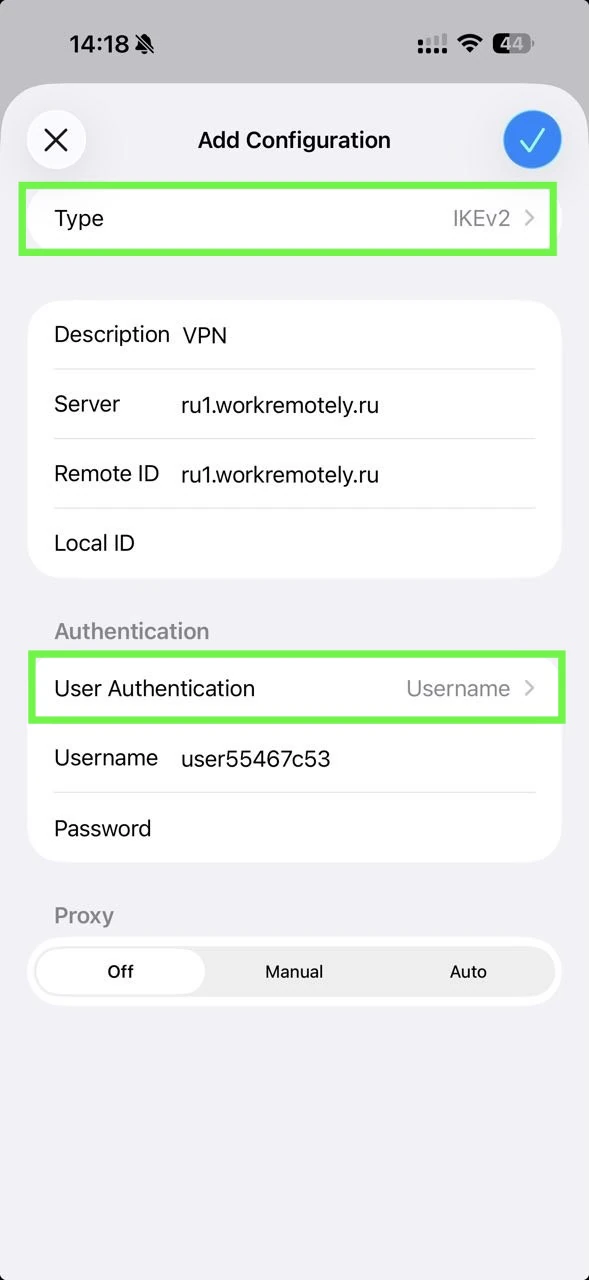
Copy the server address, login and password from Connection settings in your dashboard and paste them into the VPN settings on your iPhone or iPad. Fill in the remaining fields using the table.
| Field on your device | What to enter |
|---|---|
| Type | IKEv2 |
| Description | Any value |
| Server | Copy Server Address from your dashboard |
| Remote ID | Paste the same server address again |
| Local ID | Leave blank |
| User Authentication | Username |
| Username | Copy Login from your dashboard |
| Password | Copy Password from your dashboard |
| Proxy | Off |
Step 3. Connect
- Tap the checkmark at the top right or Done to save the connection.
- Select your new VPN connection and turn on the Status switch.
- Wait for the status to change to Connected. The system VPN indicator may appear in the status bar.
If it does not connect
- You are asked for your username or password again
- Copy both values from Connection settings in your dashboard again. Check their capitalization and remove spaces at the beginning or end.
- The status immediately returns to Not Connected
- Check the server address and make sure the device sets its date and time automatically.
- VPN settings are unavailable
- On an iPhone or iPad supplied by your workplace or school, the organization may manage network settings. Contact its IT support for help.
If the problem continues, email support@dostup.io. Include the device model, iOS or iPadOS version, and exact error text.